Semantic code search: a foundation for developer collaboration
Contents
That little magnifying glass icon is comforting. As the universal symbol for “search,” we are conditioned to click it and get results almost instantly. The magnifying glass seems to know right where to go and what to zoom in on. This works well for many use cases involving string matching across lots of text. But in the world of software development, it’s not always so straightforward. Searching source code can be challenging because it’s structural and has semantic meaning, so what you’re looking for might not be visible just in text.
Developers everywhere can tell you that reading code is harder than writing code, and that difficulty is a big reason why systems accumulate so much complexity. When developers can’t understand existing code, they’re far more likely to add new logic, new services, or new layers rather than risk touching what’s already there. This is even more true now that AI has made code generation faster and easier. This is what leads to so much code sprawl, but the cost of understanding, debugging, and safely modifying code is far from zero.
Developers spend a surprising amount of time trying to understand what already exists in their code. When engineers ask “Where is this used?” about an API, a method, a dependency, or a piece of configuration, they’re trying to understand behavior. They want to know what depends on what, what might break if they change something, and which services are still quietly carrying around legacy frameworks or vulnerable libraries.
Traditional search sometimes makes it hard to see the forest through the trees. To accurately find what they need, developers end up loading one repo at a time into an IDE and searching each one individually without any sense of the bigger picture. Across many repositories, this is tedious and makes it easy to miss something important.
Why traditional search breaks down at scale
When it comes to finding something in your code, as with anything, you need to pick the right tool for the job. If you’re just looking for examples of something with a very unique name, you don’t need an exhaustive search, so text search works fine and will almost always be fastest. The problem is that codebases don’t run on text, they run on types, dependencies, and behavior. When you ask “Where is this used?” you actually mean:
“Where is this method really called?”
“Which services depend on this specific library, directly or transitively?”
“Is this vulnerable API actually executed in production paths?”
“What breaks if we change this shared code?”
These are searches that require semantic understanding.
Take a simple example: adding or modifying a column in a database table. On the surface, it’s small. But unless you find every query and every model or service that touches that table, that seemingly “small” change can turn into a production outage. So string or regex matching isn’t enough in this case. You need to look for other solutions.
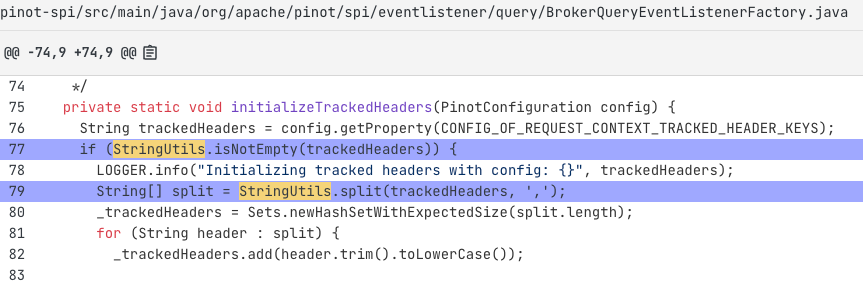
What about tools that use an Abstract Syntax Tree (AST) to better represent the code? These AST-based tools can get a little closer than text-only searches, but only in structural ways. They can understand the shape of the code, but not necessarily its meaning. AST-based tools are not fully type-aware, and they can’t always follow usage through wrappers or transitive dependencies. That means the potential for false positives, missed matches, and no reliable way to tell the difference between similarly named types (like java.util.Date vs. java.sql.Date or log4j vs SLF4J Logger).
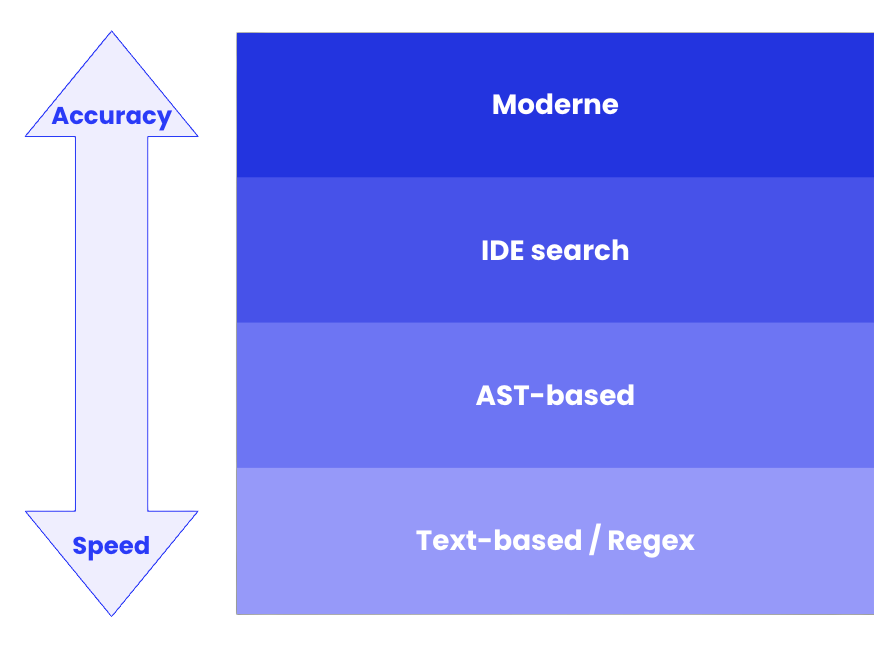
Perhaps the most accurate and widely used code searching method is right within an IDE. With compiler-level knowledge, the IDE usually has enough information to find what you’re looking for. Except it’s limited to the single repository you have open in the IDE. If you need to search across many repos, it can get very tedious and you’re bound to miss something.
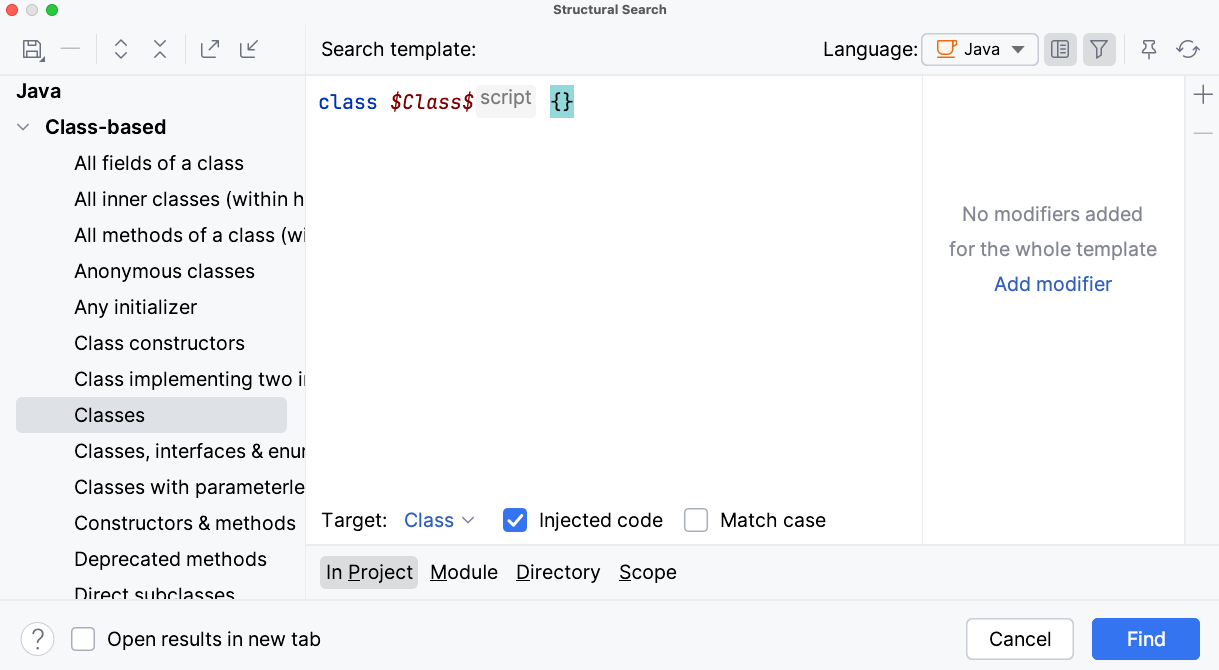
This is where the accuracy vs. speed tradeoff becomes real. If all you need is quick string matching and you don’t care about the semantic context, text/regex search is fastest. For matching structural patterns, AST-based search may be okay. For single-repo accuracy, an IDE semantic search is the right choice.
But when you need correctness across repositories, such as when the stakes are upgrades, security reviews, changes that span teams, or thorough architectural research, you need precision. And that level of accuracy requires deeper knowledge about the code, including types, dependencies, and cross-repo understanding.
For that, you need multi-repo semantic code search. That’s the gap Moderne fills.
What accurate, cross-repo semantic search unlocks
Semantic search treats code as a rich, interconnected system rather than just a collection of files. Because it’s rooted in a full, type-aware understanding of your code including classes, fields, methods, annotations, references, imports, and transitive dependencies, it reflects how your system actually behaves, not only how it looks in a single file. It sees through wrappers, helper methods, and tangled inheritance structures to reveal the real relationships that matter when you change code.
The only way to capture this level of detail across an entire codebase at once is with Moderne and OpenRewrite, which use the Lossless Semantic Tree (LST) to enable accurate code search and transformation across repositories. While IDEs also perform semantic analysis, it’s only within a single project at a time and only for the types of queries they already support. With Moderne, that semantic model is fully extensible, so you can search for anything you can express as a recipe.
Once you have semantic understanding across repositories, a whole set of workflows suddenly become straightforward and consistent for developers:
Modernization planning. Quickly inventory deprecated APIs, old frameworks, and patterns that stand in the way of an upgrade.
Upgrade preparation. Research where a library or framework is actually used across dozens or hundreds of repos.
Impact analysis. Understand what will break downstream before changing shared code or removing an API.
Security auditing. See where secrets, unsafe calls, or vulnerable libraries are actually executed in code, not just declared.
Control/data flow analysis. Trace how data moves across services to detect vulnerabilities such as SQL injection or insecure input handling.
Dependency management. Map real dependency usage across multiple repositories, including direct and transitive uses.
Developer enablement. Help developers find patterns to reuse like “How did we do this before?” or “Where else is this done correctly?”
These are everyday engineering challenges that highlight an important point: development work isn’t just coding, it’s figuring out how everything fits together before you code. Most engineering metrics focus on what’s easy to count like commits, pull requests, or lines of code. What they rarely capture is the time developers spend just trying to understand the system before they can safely make a change. One Moderne customer even tracks this as “research time saved,” and in 2025 alone, they logged more than 23,000 hours returned to engineering productivity. That’s time teams reclaim not by coding faster, but by understanding faster.
And once every team is working from the same accurate picture of how the codebase behaves, code search provides more than just increased productivity for individual developers. It becomes a foundation for how teams collaborate, plan changes, and understand the impact of decisions together. This shared understanding is what enables organizations to modernize and extend their existing systems without introducing risk or slowing down innovation.
With semantic code search, teams can finally:
Get a better understanding of their codebase, to more easily find patterns, accelerate reviews, and do dependency planning.
Gain shared visibility across engineering, product, architecture, and security so they trust each other with refactors, audits, and roadmap decisions.
Make decisions with confidence, because the impact is no longer a mystery; they can support them with data, not assumptions.
Where that magnifying glass may help one person see one thing a little more clearly, semantic code search with Moderne gives every team a shared view of how the codebase works. Suddenly, search becomes analysis. And analysis becomes a starting point for action and automation.
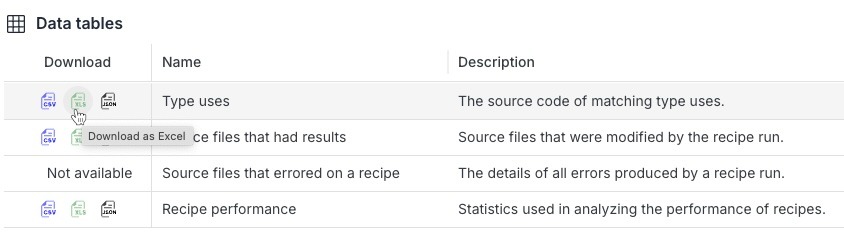
Search recipes can highlight matching results using search result markers, but they can also produce structured, machine-readable results as data tables with the exact types, locations, and code constructs involved. And now, any recipe that produces search markers also generates a unified SearchResults data table, making it even easier to assemble and share insights. Those results can be exported, analyzed, shared across teams, or fed into AI assistants. No need to scan through raw text hits or hand-assembled spreadsheets. Share this data with your team, and everyone is working from the same facts.
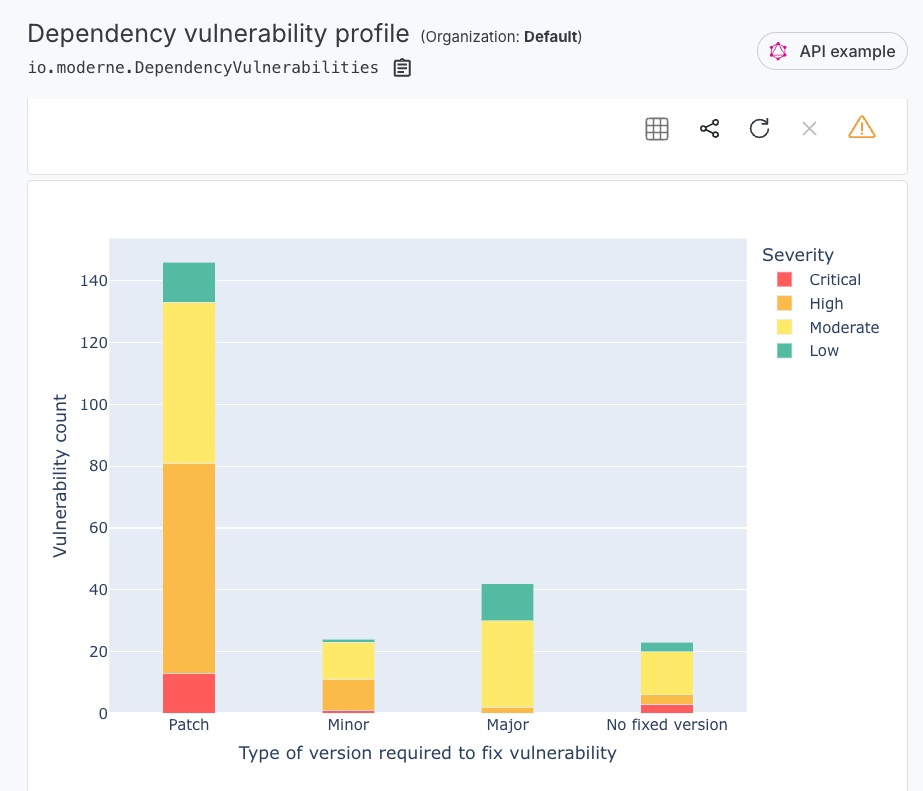
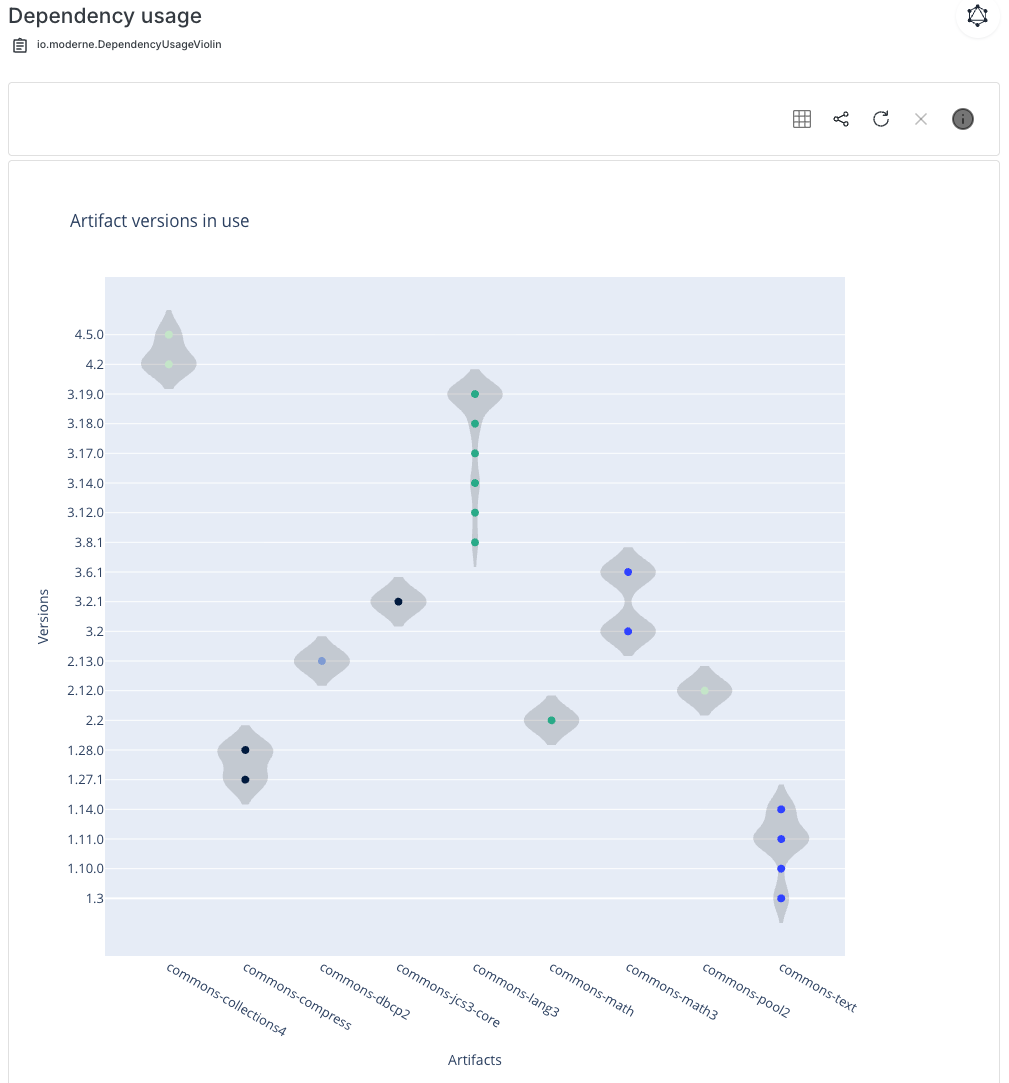
In some cases, you can even get a picture to help visualize the results from running semantic search recipes. The Moderne Platform can render visualizations like call graphs, dependency maps, vulnerability profiles, and even violin charts that show how dependency versions are spread across your organization. Instead of wading through tables, teams can see the shape of the problem instantly and decide what needs to happen next.
Plus, because Moderne uses a single model (LST) for search and transformation, the same query that finds a pattern can evolve into a recipe that updates it, while still outputting search results or data tables so you can track more information or see exactly what was fixed. Teams move naturally from detect → fix → verify, without rewriting logic or jumping between systems.
Search recipes in action
The power of semantic search shows up best when you apply it to real engineering work. Moderne and OpenRewrite provide a wide range of recipes that take advantage of the LST’s deep knowledge of code structure, types, and behavior. Every one of these recipes is powered by semantic understanding. They’re accurate, repeatable, and safe to run across dozens or hundreds of repositories.
With these recipes, the questions teams ask every day (Where is this used? What breaks if we change it? How widespread is this pattern?) turn into precise, repeatable queries that anyone can run. With method patterns (similar to “pointcut expressions” in AspectJ), you can search as broadly as you’d like using wild card characters, or look for specific names of packages, methods, or parameters.
Here are some of the recipes developers and platform teams rely on the most:
Core code understanding recipes
Find types. Identify every place a class, interface, or enum is referenced across your repositories. Perfect for migration planning or understanding the reach of a shared module.
Find method usages. Trace where a method is actually called, including indirect calls and wrapper methods. Ideal for deprecations, refactors, and impact analysis.
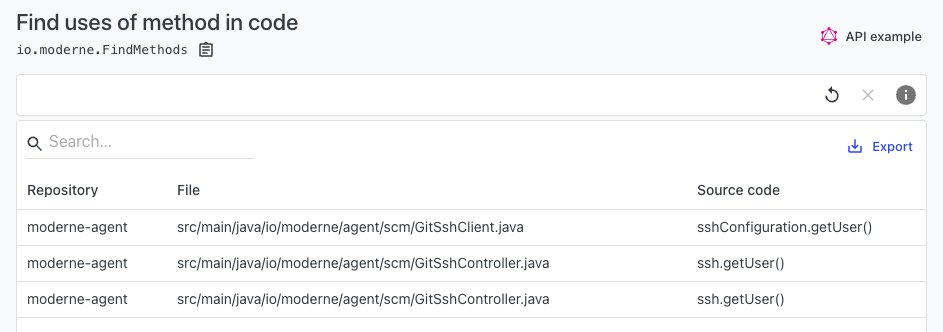
Find fields. Locate all field references across a codebase. Particularly useful when working with large domain models or legacy code.
Find annotations. Surface usages of specific annotations, whether framework-level (@Transactional, @Autowired) or custom.
Find deprecated uses. Discover every usage of deprecated types, methods, and fields so teams know what needs to be cleaned up before a major upgrade.
Find call graph. Visualize or enumerate the chain of calls leading to or from a method to understand runtime behavior and dependencies.
Find source files with imports. Quickly find all files importing a specific type or package to understand where ripple effects may occur.
Dependency search recipes
Find Maven and Gradle dependencies. Inventory declared dependencies across every project without opening each build file individually.
Dependency insight for Maven and Gradle. Understand how dependencies are brought in, directly or transitively, to help prioritize cleanup and prevent version conflicts.
Find and fix vulnerable dependencies. This recipe both generates a report of publicly disclosed vulnerable dependencies and upgrades to newer versions with fixes. This is a great example of how Moderne can help bridge from analysis into transformation workflows.
API, SQL, and security-focused recipes
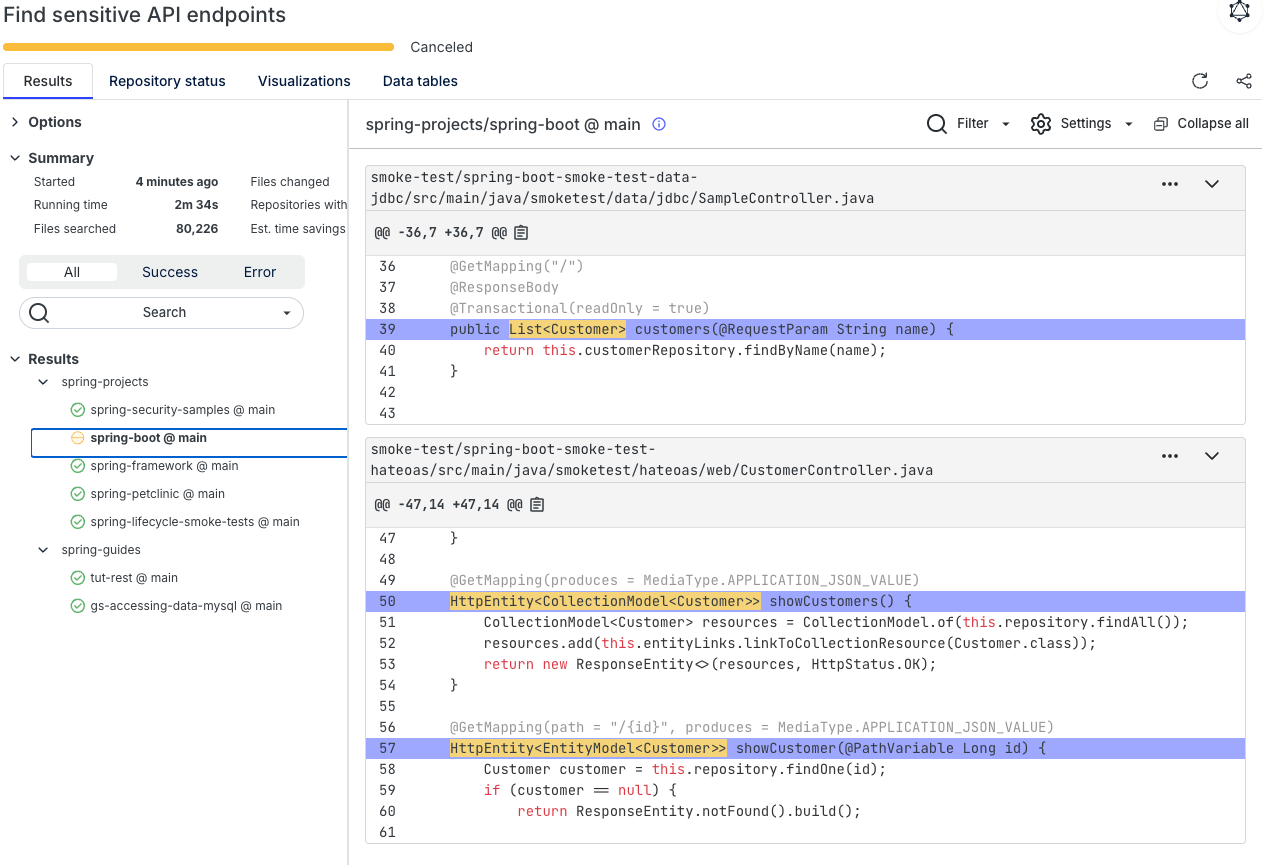
Find sensitive API endpoints. Surface API endpoints that may expose sensitive information like PII or secrets. This recipe in particular is a good example of the power of the LST, as it can find sensitive objects within objects that you wouldn’t be able to find with basic text or even AST-based search.
Find SQL in code and resource files. Locate SQL embedded in Java strings or in .sql and other resource files. Critical for database migrations or query modernization.
Find secrets. Identify hard-coded credentials, tokens, or other sensitive values across code, configs, and resource files.
Find Spring API endpoints. Catalog all HTTP API endpoints exposed by Spring applications to support modernization or API gateway efforts.
IaC and configuration recipes
Find YAML properties. Search for specific YAML keys or patterns across configuration files that you may want to change or remove.
Find XML tags. Identify XML configurations that might need to be updated or consolidated during migrations.
Find required Terraform providers. Locate required provider declarations across Terraform configuration files to help with compliance or prepare for migrations.
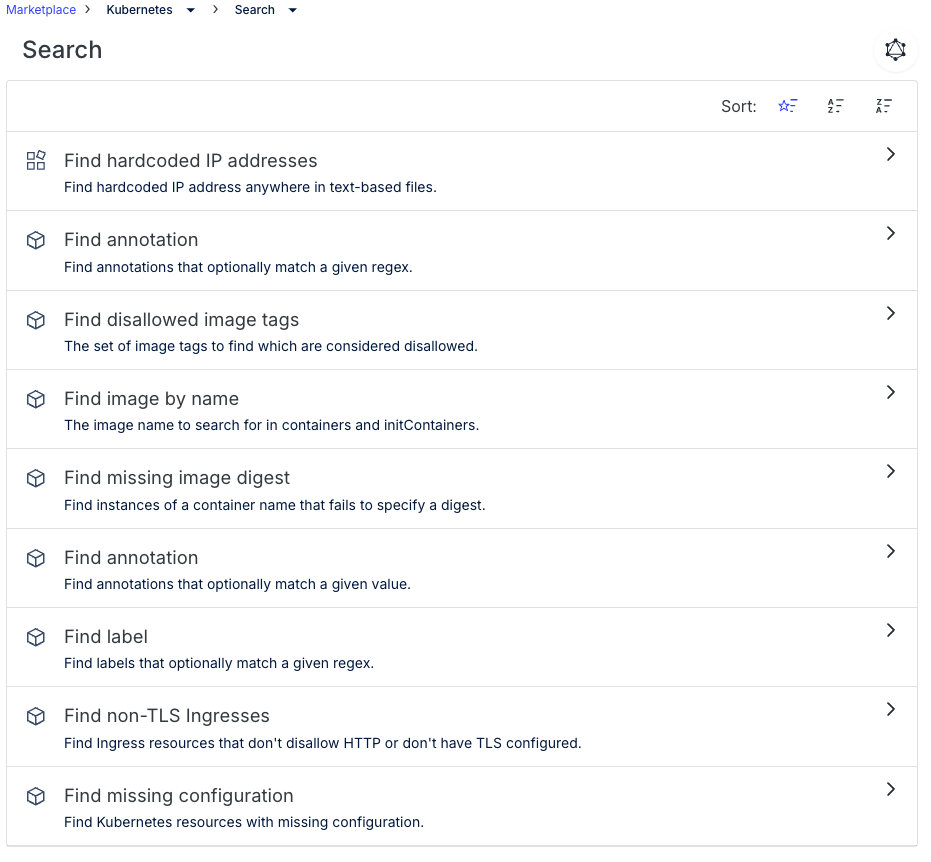
Kubernetes search recipes. Query Kubernetes manifests for specific resource types, annotations, or labels with semantic accuracy.
Confidence through understanding
Modern engineering depends on understanding how code behaves before you change it. Semantic cross-repo/multi-repo search gives teams that clarity. It replaces guesswork with shared facts, and scattered tribal knowledge with structured, trustworthy insight.
And because Moderne uses the same semantic foundation for both search and transformation, teams can move from detection to action with confidence. Search becomes a starting point for coordinated change, not just a way to look things up.
In complex, multi-repo systems, that shared understanding isn’t just helpful, it’s the foundation for how teams collaborate and modernize safely. And when teams can modernize with confidence instead of hesitation, they can really deliver value to the business. One customer reported delivering 30% more business value after adopting Moderne, simply because they could evolve their existing codebase instead of being slowed down by it.
In a world where the magnifying glass can only show you a fragment, semantic search with Moderne finally gives teams the whole picture.
For more about how to powerfully search your source code and better understand it in detail, try Moderne.
Related posts